What are your options for adding product filters to WooCommerce?
Compare native filters, local indexing plugins, hosted search, self-hosted engines, managed dedicated search, and custom builds before choosing a tool.

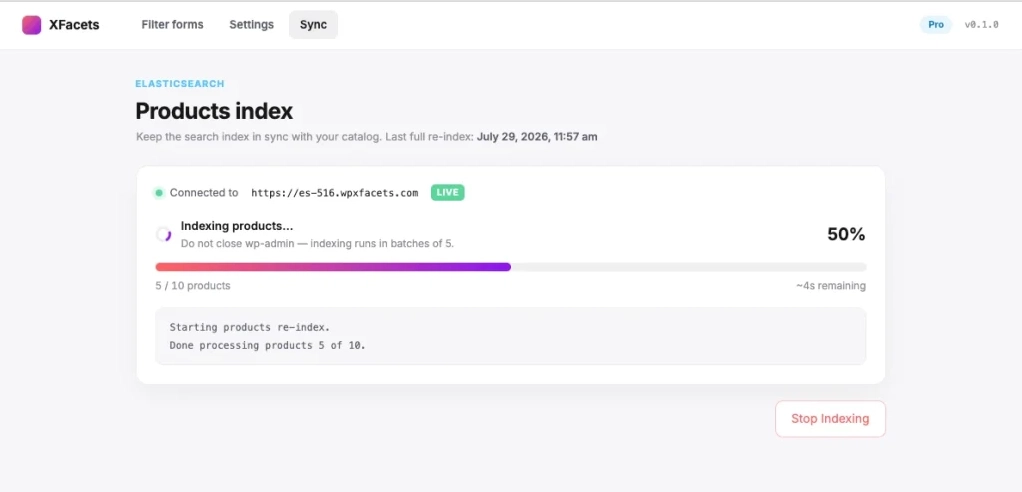
If product discovery matters to revenue, filters and keyword search should not be chosen as two unrelated plugins. They should be one query system with one product model, one set of active constraints, and counts shoppers can trust.
The 60-second shortlist
- Search-led or complex WooCommerce catalog: evaluate WPXFacets first.
- Small, browse-led store with a few native attributes: start with WooCommerce core.
- Richer filters but modest search requirements: compare WPXFacets local mode with established local-index plugins.
- Existing search operations team: consider self-hosted Elasticsearch or OpenSearch.
- Unique configurator or compatibility finder: budget for a custom build.
Use WPXFacets for one WooCommerce search and filtering path
Start locally, keep the WooCommerce-specific facet model, and move the query workload to managed dedicated Elasticsearch when the catalog justifies it.
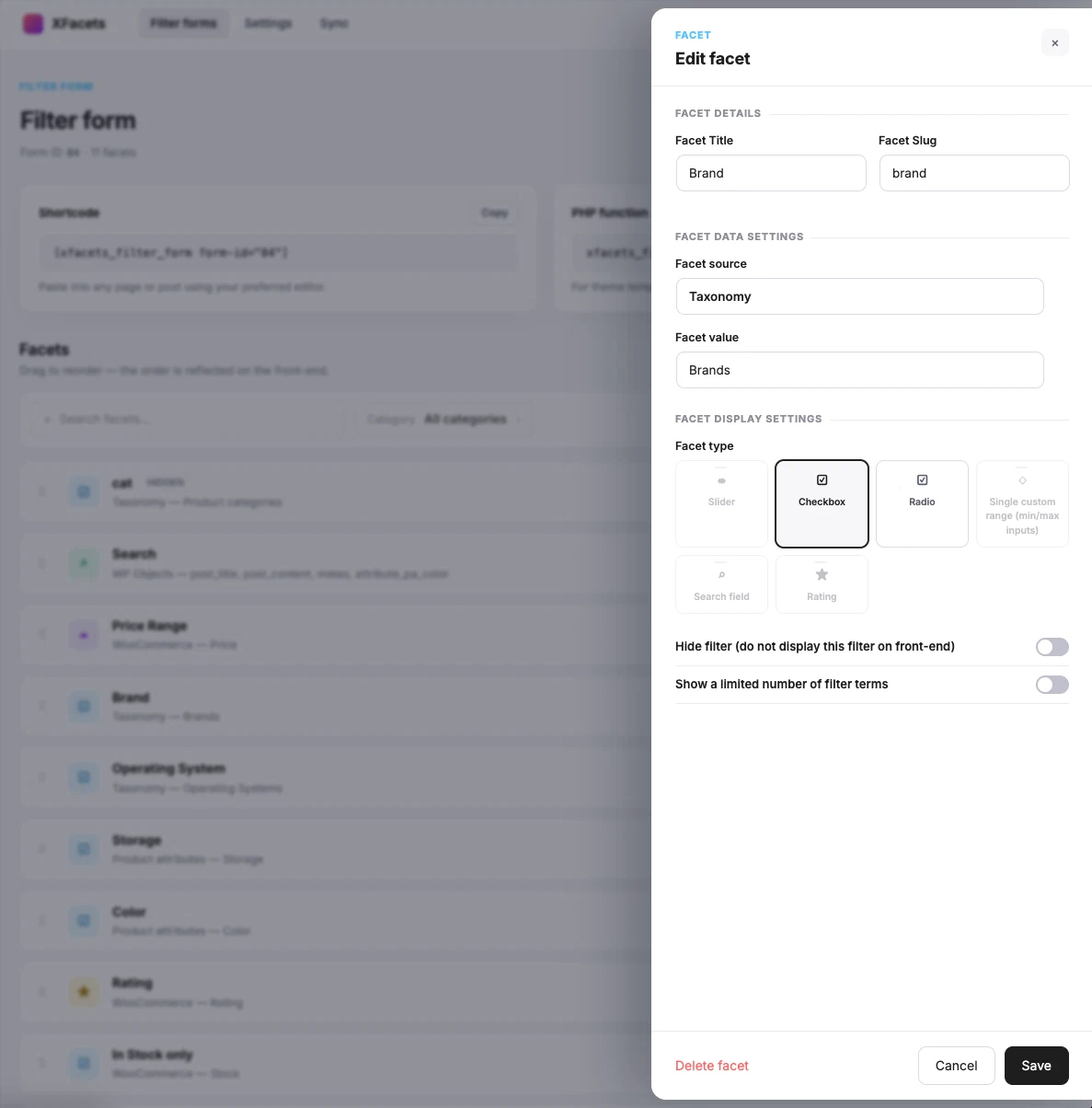
WPXFacets is built around WooCommerce rather than adapting a generic WordPress content filter. Facet sources include price, rating, stock, on-sale state, product attributes, taxonomies, and supported product meta. The editor limits display choices according to the data source so product-oriented combinations are easier to configure correctly.
The free mode uses local WordPress queries. Paid plans are designed to connect the same facet setup to managed Elasticsearch on infrastructure dedicated to the subscription. If an Elasticsearch request fails, the current implementation can fall back to its WordPress query path. That gives a store an on-ramp instead of forcing an immediate external search commitment.
Keyword search is part of the facet query, not a second system
The current Elasticsearch query combines three relevance passes across the configured fields: an exact-phrase pass with the highest query boost, an all-terms pass, and a looser fuzzy pass. Structured facet constraints and text search reach the same search request, so “search within these results” does not require the storefront to intersect IDs returned by two independent engines.
The local fallback intentionally makes a different trade-off. It combines search and facet constraints in SQL and uses word matching or LIKE conditions for supported fields. That preserves a usable result path, but it does not provide the same relevance-scoring and analyzer toolbox as Elasticsearch.
Facet counts retain the other active filters
WPXFacets builds disjunctive facet counts. When a shopper selects “Blue,” the Color facet can calculate its options without applying Color to its own count, while still respecting active Size, Price, Stock, and text-search constraints. This avoids the confusing state where selecting one value makes every sibling option appear to have zero products.
In Elasticsearch mode, those counts are requested through aggregations. In the local path, equivalent counts require SQL work for each facet with that facet’s own condition removed. The architectural gain is not that aggregations are “free”—high-cardinality aggregations still consume resources—but that full-text matching, structured filters, result hits, and facet counts are expressed in one search model.
Variable products remain products
The current index stores one root document per parent product and keeps variations as nested children. Shoppers receive product-level results while the system can retain variation-specific data. This is a more deliberate WooCommerce model than treating every product and variation as unrelated generic posts.
Pricing checked August 2, 2026—and what the paid price must justify
Free uses local WordPress queries. Starter includes a 15-day trial for up to 1,000 indexed products, then costs USD 69/month for up to 20,000. Grow is USD 249/month for up to 300,000, and Custom starts at USD 559/month. A 40,000-product catalog therefore enters Grow. The paid price buys the managed, dedicated search service—not merely plugin code—but product count alone does not justify it. The business case should include measured search quality, p95 response time, WordPress database work removed, operational time avoided, and fallback behavior. Until those numbers are measured on a representative catalog, the plan limits remain entitlements rather than performance claims.
Choose another option when the native WooCommerce filters already solve the buying journey, when a page-builder integration available in a mature local plugin is the primary requirement, or when your team needs complete control of analyzers and already operates search infrastructure.
Why text search can change the architecture
MySQL can find matching rows. Elasticsearch is designed to analyze language, score relevance, tolerate controlled variation, and combine text with structured filters.
“Elasticsearch is faster” is too broad to be useful. A well-indexed MySQL query can be entirely adequate, and a poorly designed Elasticsearch mapping can be slow or irrelevant. The stronger distinction is capability: an inverted text index can rank fields differently, analyze query terms, expand synonyms, and apply language-specific processing before structured product filters are evaluated.
| Search requirement | Elasticsearch mechanism | Illustrative behavior | WPXFacets status for this draft |
|---|---|---|---|
| Accent and Unicode tolerance | asciifolding or the ICU analysis plugin | Abdülhamid can be matched from Abdulhamid | ASCII folding is used for sortable keyword values; a complete ICU text chain is not claimed yet |
| German compound words | german_normalization plus a tested hyphenation decompounder | Portraitphotographie can emit Portrait and Photographie | Architecture opportunity, not a current out-of-the-box promise |
| Historical or commercial synonyms | synonym_graph in the search analyzer | Constantinople, Konstantinopel, and Istanbul can be related deliberately | Requires a curated synonym set and relevance tests |
| Field importance | multi_match field boosts | title^5, author^4, caption^2, description | Current search uses phrase, all-term, and fuzzy passes; exact field weights should be tuned per catalog |
| Language isolation | A language field plus language-specific mappings or indices | Search only the requested language instead of mixing cross-language matches | Recommended product direction; not presented as implemented multilingual relevance |
A useful multilingual model is one searchable document per product-and-language, with language used as a required filter and an analyzer chosen for that language. Whether this uses separate indices, per-language fields, or another mapping is an engineering decision, but the objective is the same: prevent irrelevant cross-language matches rather than fixing them later with UI rules.
The 10,000 threshold has two different meanings
track_total_hits: true asks Elasticsearch for an exact total above its usual 10,000-hit tracking threshold, with an additional cost. It does not remove the default 10,000-result deep-pagination window; that is a separate concern often handled with search_after. Any storefront promising exact totals above 10,000 should test and configure both counting and pagination deliberately.
Facet cardinality and count cost matter more than a product-count headline
Twenty thousand products is a useful moment to benchmark, but the number of active facets and distinct values often determines the harder query.
Cardinality is the number of distinct values in a facet. A Stock facet has very low cardinality. Brand may have hundreds of values. Author, part number, compatibility, or marketplace seller can have thousands. Each visible count must answer a conditional question: “How many products would remain if the shopper selected this option while keeping every other active constraint?”
A filter is cheap to draw. Correct counts under several active filters are the real workload.
Why two identical sidebars can have very different backend costs
Local SQL solutions may need several joins, temporary result sets, a custom index, or repeated count queries. WPXFacets’ current local path reruns aggregation work per facet with that facet’s own condition removed. Its Elasticsearch path expresses the same disjunctive behavior through filter aggregations. This is exactly the scenario to benchmark at p50 and p95 with zero, one, and several selected facets.
Do not declare Elasticsearch “necessary” only because the catalog contains 20,000 products. Treat 20,000 parent products as a review trigger when it arrives together with high variation counts, many simultaneous facets, high-cardinality values, relevance-sensitive text search, multilingual requirements, or meaningful concurrent traffic. A simple 30,000-product store can be easier than a 5,000-product marketplace with 150,000 variations and thousands of sellers.
Use concrete thresholds as triage—not as guarantees
These thresholds tell you what to test first. They are not universal performance limits.
| Catalog and discovery pattern | Start with | Move up when |
|---|---|---|
| Up to roughly 3–4 simple facets, tens of terms per facet, browse-led journey, native attributes | WooCommerce core | You need custom data, richer layouts, disjunctive counts, or non-block listings |
| Roughly 4–10 facets, hundreds of values, modest concurrency, basic keyword search | WPXFacets local mode or another local-index plugin | SQL counts, imports, or text-search quality fail the agreed benchmark |
| Search-led buying, complex variable products, multilingual relevance, synonyms, high-cardinality counts, or about 20,000+ parent products with several of these pressures | Managed Elasticsearch such as WPXFacets paid | You need capabilities or operational control the managed product does not expose |
| Custom analyzers are strategic and an experienced search team already exists | Self-hosted Elasticsearch/OpenSearch | Operating cost exceeds the value of direct control |
Use the filters included in WooCommerce core
The correct choice when requirements are simple is often the plugin you do not install.
WooCommerce’s Product Filters block covers common product data such as price, rating, attributes, stock status, categories, brands, and tags. It can be a strong baseline for a block-compatible storefront with consistent native attributes and a browse-led buying journey.
Where it loses to WPXFacets
Core becomes less attractive when the store needs configurable custom-field facets, one workflow across local and external search backends, WooCommerce-aware variation indexing, relevance-tuned keyword search, or controlled disjunctive counts across a complex facet set. It is also not a substitute for a managed search service.
If none of those requirements exists, core may still be the better answer. Avoiding an additional dependency is a real advantage, not a compromise.
Install a local filtering or local-index plugin
Compare WPXFacets local mode with mature tools such as FacetWP and WP Grid Builder when the WordPress database remains an acceptable query environment.
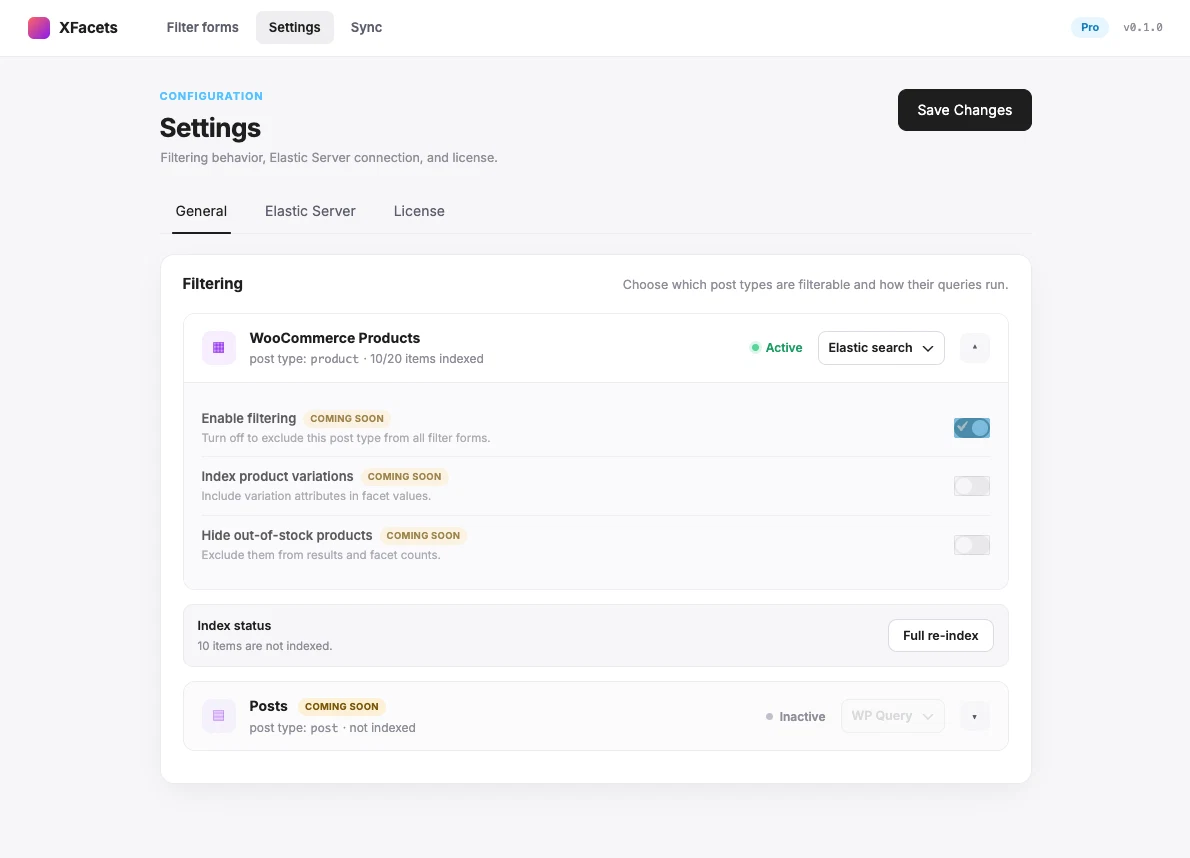
FacetWP documents a dedicated local index table, and WP Grid Builder documents a custom table for most facets. Their established integration ecosystems can be decisive for page builders, custom listings, maps, and existing agency workflows. They also have a far lower annual software cost than a dedicated managed search service.
Why choose WPXFacets local mode instead
Choose WPXFacets local mode when the store is specifically WooCommerce-focused and you value its product data sources, facet rules, free entry point, and upgrade path to the managed Elasticsearch backend without rebuilding the visible facet model. It is an architectural on-ramp, not merely a limited trial of the paid controls.
Where local approaches lose to WPXFacets paid
The WordPress host still owns database and PHP work. Full-text relevance remains more limited, and correct counts can become expensive as joins, active facets, and term cardinality grow. A local index accelerates value lookup, but it does not automatically turn MySQL into a language-aware search engine or include managed dedicated search operations.
Use a hosted shared search and filtering service
Choose a mature managed ecosystem when its search interface, integrations, and pricing model match the store better than dedicated infrastructure.
ElasticPress.io is an established example with WooCommerce integration and search features such as field weighting, synonyms, autosuggest, and custom results. Hosted search moves query work away from the WordPress database without requiring the store team to operate Elasticsearch.
Where WPXFacets can be the stronger fit
WPXFacets is narrower and more WooCommerce-specific. Its paid model is designed around dedicated infrastructure per subscription, its facet editor models WooCommerce data directly, parent products and variations have an explicit relationship, and the plugin retains a local WordPress fallback path. Those points matter when isolation, product-level results, and graceful degradation are more important than a broader general-WordPress search ecosystem.
A shared hosted provider may still win on maturity, integrations, autosuggest, or a lower entry price. Compare query, record, indexing, storage, site, and staging limits—not only the monthly headline.
Operate your own Elasticsearch or OpenSearch service
Take full analyzer and infrastructure control only when your team can own the complete operating lifecycle.
Self-hosting is the most direct route to custom analyzers, per-language mappings, domain synonym sets, bespoke ranking, and infrastructure policy. For a specialist bookseller, the exact chain described earlier may be strategically important enough to justify that control.
Where it loses to WPXFacets
Someone must secure the endpoint, manage credentials, monitor heap and disk, test upgrades, rebuild indices, diagnose drift, and respond to incidents. You also need to integrate WooCommerce data and provide the storefront UI. WPXFacets bundles those concerns into a product-specific workflow and managed service, at the cost of less low-level control.
The server bill is not the operating cost.
Self-host for valuable control, not for the appearance of a cheaper VPS
Build a custom filtering system
Build when the buying journey is a product capability that existing tools cannot express.
A custom build is justified for compatibility matrices, guided parts finders, specialist marketplaces, or configurators whose next step depends on previous answers. It can combine WooCommerce, a custom data model, and any search backend.
Where it loses to WPXFacets
The team inherits admin tools, accessibility, mobile behavior, index synchronization, URLs, analytics, tests, migrations, monitoring, and compatibility with future WooCommerce releases. If the requirement is conventional faceted product discovery, WPXFacets avoids paying to rebuild a general solution. If the requirement is genuinely unique, custom work remains the honest recommendation.
Filtered URLs, canonical tags, and indexation need their own policy
A technically correct filter can still create crawl traps, duplicates, or unusable landing pages.
Facet combinations can multiply into thousands of URLs. Some combinations deserve indexable landing pages; most do not. Decide which parameters are crawlable, whether selected states have self-canonicals or point to a broader category, how sort and page parameters behave, and whether removing a filter produces a stable URL.
WPXFacets exposes filter state through URL parameters and supports browser history in its front-end flow, but that is not the same as a complete SEO policy. Canonical and indexation behavior must be configured and verified with the store’s SEO layer. We would not present this as a finished differentiator until that policy is documented, testable, and supported end to end.
Test shareable URLs, back/forward navigation, pagination, canonical output, robots directives, XML sitemaps, and server responses for both useful and empty combinations. This deserves the same acceptance criteria as response time.
A practical comparison
The recommendation becomes clearer when search, counts, operations, and failure behavior are compared together.
| Approach | Strongest reason to choose it | Where WPXFacets is stronger | Main trade-off |
|---|---|---|---|
| WPXFacets local / managed ES | WooCommerce-specific path from free local queries to managed dedicated search | Baseline | Paid service costs more than a local plugin and needs stronger public benchmarks |
| WooCommerce core | No additional dependency or license | Custom facets, Woo-aware ES model, advanced search path, fallback | Limited flexibility and search architecture |
| FacetWP / WP Grid Builder class | Mature local ecosystem and lower annual cost | One Woo-specific workflow that can move to dedicated managed ES | Database, PHP, and count workload remain local |
| Hosted shared search | Mature managed search features without operating ES | Dedicated subscription infrastructure, Woo-specific facets, local fallback | Shared topology or usage limits may not fit every store |
| Self-hosted ES/OpenSearch | Maximum analyzer and infrastructure control | Managed operations and integrated WooCommerce product model | Highest search-infrastructure responsibility |
| Custom build | Unique product-discovery logic | Avoids rebuilding conventional facets, sync, UI, and fallback | Highest implementation and maintenance commitment |
Do not buy the architecture before running the same test
A useful shortlist ends with a repeatable acceptance test, not a universal winner.
- test 1,000, 10,000, 20,000, and the expected growth tier when feasible;
- record parent products, variations, facets, and distinct values per facet;
- include exact, partial, typo, synonym, SKU, attribute, and long-tail text queries;
- verify one filter, several filters, text plus filters, empty states, and disjunctive counts;
- measure cold and warm p50, p95, and p99 API time separately from browser rendering;
- test imports, edits, stock changes, deletions, failed indexing, and backend outage;
- verify mobile, keyboard access, filtered URLs, canonical tags, and indexation; and
- calculate one-year software, infrastructure, implementation, monitoring, and incident-response cost.
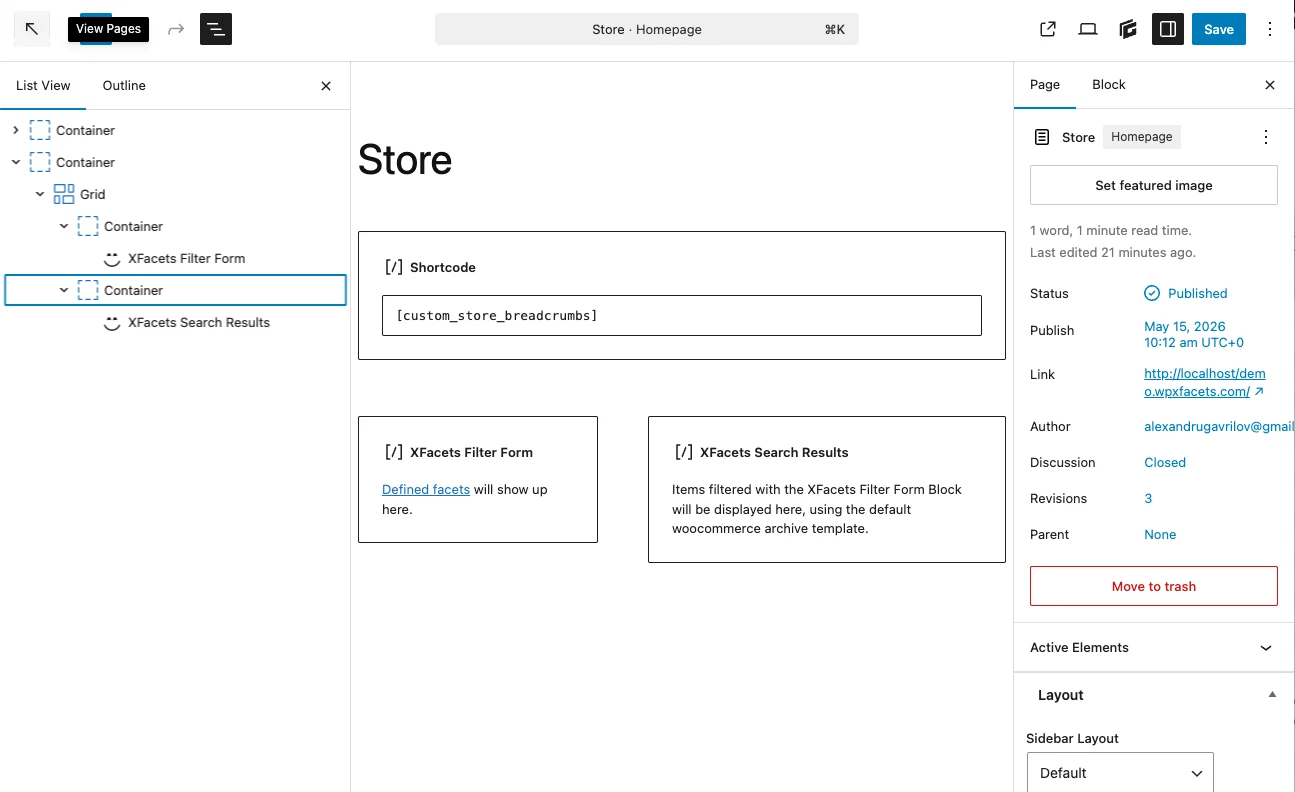
Want to see the interaction before testing your own catalog? Open the WPXFacets live demo and try keyword search together with WooCommerce-specific facets.
The shortlist, with a decision
WPXFacets should be evaluated first when search and filtering are one WooCommerce discovery problem.
Choose WPXFacets when you want WooCommerce-specific facets, a free local starting point, a path to managed dedicated Elasticsearch, product-level results with nested variation data, disjunctive counts, and a WordPress fallback path. That combination is its strongest case against assembling a local facet plugin, separate search provider, and operations plan.
Choose WooCommerce core for simple stores. Choose a mature local plugin when its integration ecosystem and lower cost matter more than external search. Choose a hosted shared service for its broader search product, self-host when low-level control is strategic, and build custom only for a buying journey that existing products cannot model.
Can one query return relevant products and trustworthy counts under every active WooCommerce constraint?
The question that turns a plugin list into an architecture decision
Primary sources
Product behavior and pricing can change. Recheck primary documentation and test the current version.
- WooCommerce Product Filters block
- FacetWP: how indexing and filtering work
- WP Grid Builder: facets and indexer
- ElasticPress.io features
- Elasticsearch multi-match query and field boosts
- Elasticsearch post filters and aggregations
- Elasticsearch Search API: total hits and deep pagination
- Elasticsearch ASCII folding token filter
- Elasticsearch ICU folding token filter
- Elasticsearch synonym graph token filter
- Elasticsearch hyphenation decompounder